
Super Planner: ADHD Routine AI
Polestar App Cloner Dev.Productivity
4.7162.00 Reviews
- Version
- 1.5.60.0809
- Installs
- 100.00K
- Age Rating
- Everyone
Screenshots

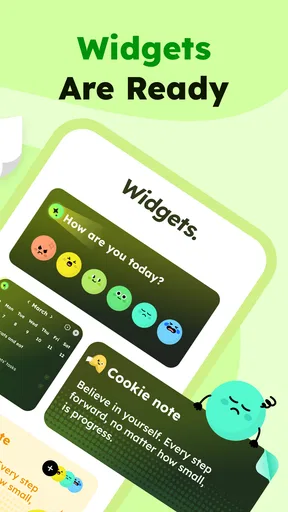
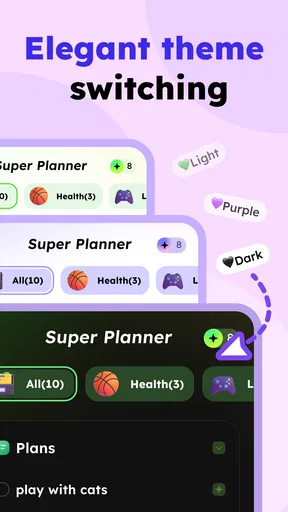
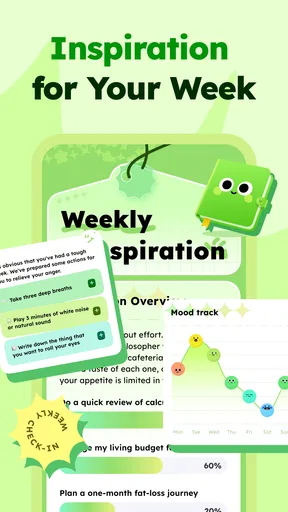
Our Review of Super Planner: ADHD Routine AI
 Analysis by Appyee
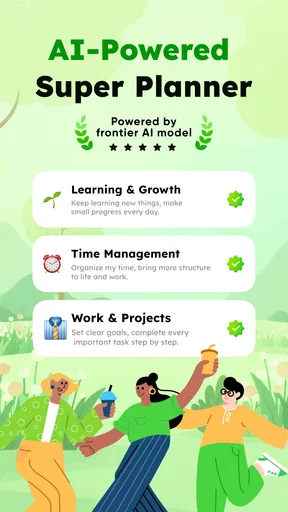
I usually distrust productivity apps that promise to fix my life with one clever screen. Super Planner: ADHD Routine AI takes a more practical direction. It is a productivity app from Polestar App Cloner Dev. that brings planning, daily mood tracking, and goal-focused action into one place. After spending time with it, I see its real value less as a magical assistant and more as a place to turn a vague day into a sequence I can actually begin.
That distinction matters. The app is aimed at people who struggle with starting, switching between tasks, remembering intentions, or keeping a routine alive after the first enthusiastic week. It can also suit anyone who wants a gentle planning system rather than a dense project-management workspace. I found it most useful when I treated it as one part of a sustainable habit: first decide what matters, then use the app to make the next step visible.
My main recommendation is simple: use Super Planner to reduce decision-making, not to create another system you have to maintain. When I kept the plan small and realistic, the app felt encouraging. When I tried to record every detail of my life, the planning itself became another task.
Start with the day you actually have
I find the most useful way to approach this section is to start with the day’s fixed commitments, then choose only the actions that can realistically fit around them. That makes the plan a working guide rather than a picture of an ideal day. The next step is turning that honest starting point into a routine you can return to, even when the day changes.
Planning works better after an honest reset
Before opening the app, I found it helpful to pause and identify the fixed parts of the day: appointments, work hours, travel, meals, and anything that genuinely cannot move. Only after that did I decide what I wanted to accomplish. This prevents a common mistake with digital planners: filling the screen with an ideal schedule that leaves no room for interruptions.
Super Planner fits this approach because its purpose is not merely to store a long list. Its store summary presents it as a task helper for managing plans, checking mood daily, and turning goals into action. In practice, I would begin with one or two meaningful outcomes and then break them into actions that are obvious enough to start without further interpretation.
For example, “work on my portfolio” is a poor task because it hides several decisions. “Open the draft and revise the first section” is much easier to approach. The difference is not cosmetic. A broad goal can trigger avoidance, while a small action gives the brain a clear entry point. The app becomes more useful when I do that thinking before I enter the plan.
Use the mood check as context, not a score
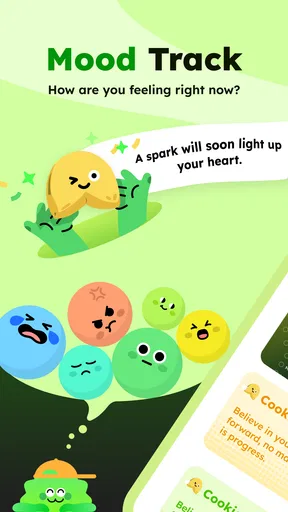
The daily mood element is one of the more interesting parts of the concept. I would not use it to judge whether I had a productive day. Instead, I treated it as a quick note about the conditions surrounding my work. A low-energy day may call for fewer demanding tasks, while a more focused day may be suitable for something that requires deeper attention.
This creates a useful feedback loop. If I repeatedly plan ambitious mornings when I am tired, the record can make that mismatch easier to notice. The answer is not necessarily to force more discipline; it may be to move difficult tasks, shorten the first step, or protect a better starting window. That is a more sustainable use of mood tracking than turning feelings into another performance metric.
I would also keep the check-in brief. If recording a mood starts to feel like journaling homework, its value drops. The feature works best as a small moment of self-awareness attached to the planning routine.
Capture tasks before deciding their priority
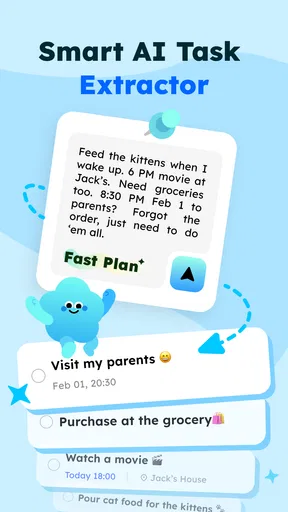
When my mind is busy, I often need to capture an idea before I can evaluate it. Super Planner is easier to use when I separate those two stages. First, I put down the task in plain language. Later, I decide whether it belongs today, this week, or somewhere less urgent.
That separation prevents every new thought from hijacking the current plan. A message I need to send, a household errand, and a long-term personal goal do not deserve the same treatment simply because they appeared at the same moment. I found it useful to gather these items and then choose a short daily set rather than constantly rebuilding the day.
One practical trick is to phrase tasks as visible actions. “Taxes” becomes “find the latest tax document.” “Clean the apartment” becomes “clear the kitchen table.” These entries are more helpful than labels because they answer the question that usually causes delay: what do I do first?
Build a repeatable routine instead of chasing perfect days
For me, a routine earns its place when it survives an ordinary imperfect day, not just a calm one. Keeping the opening step small and choosing a repeatable moment to review the plan can make it easier to resume after interruptions. That approach also makes it clearer where a planning habit is helping—and where the system itself may be getting in the way.
Make the first action almost too easy
The strongest workflow I found was to create a starting ritual around the app. I opened the plan at the same general point in my day, checked the mood prompt, reviewed anything fixed, and selected a small number of actions. I did not try to design the entire future. I only made the next stretch of time easier to navigate.
This is especially useful for people who experience task initiation as the hardest part. A routine can remove the need to negotiate with yourself every morning. The app does not need to contain an elaborate schedule to help; it needs to show a believable next move.
I also recommend keeping a “minimum version” of important tasks. If the full task is too demanding, the minimum might be opening the document, putting on workout clothes, or washing only the dishes needed for the next meal. Completing that smaller version protects continuity. On a better day, it can naturally expand. On a difficult day, it keeps the routine from disappearing entirely.
Connect goals to actions, not inspirational statements
Goal planning often fails because goals remain abstract. Super Planner’s goal-to-action idea is most valuable when I use it as a conversion exercise. I ask what evidence of progress would exist by the end of the day, then turn that evidence into a task.
If my goal is to improve a skill, the action might be completing one practice exercise. If the goal is to organize finances, it might be collecting account statements before making any decisions. If the goal is to prepare for a trip, it might be checking one booking detail. These actions are modest, but they create movement.
A useful trade-off is to keep long-term goals visible while limiting the number of actions connected to them at once. Too many linked tasks can make the goal feel heavier. I prefer one immediate action, one follow-up, and a note about the next decision. That structure gives direction without turning the goal into a second inbox.
Use planning around transitions
Many productivity systems focus on the work itself and ignore the moments between activities. I found Super Planner more helpful when I used it to prepare transitions: what I need before leaving home, what I should do after lunch, or which small task can close the workday.
These transition cues are valuable because interruptions often happen at the edges of a routine. A short preparation action can prevent a later task from becoming a fresh decision. For instance, setting out materials or writing the first sentence before stopping makes it easier to resume the next day.
This is also where the app can complement a calendar rather than replace it. I would keep appointments and fixed commitments in a calendar designed for time-specific events, while using Super Planner for the actions that support those commitments. A calendar tells me that something happens at a certain time; this app helps me decide what practical step makes it happen.
Keep the system deliberately smaller than your ambitions
The temptation is to add every project, habit, reminder, and personal improvement goal immediately. I would resist that. A planner becomes harder to trust when it contains more commitments than I can realistically review.
My preferred setup is a short daily plan, a few active goals, and a place for tasks that are not ready for today. I would review the larger picture only at a calm point in the week. That prevents the daily view from becoming a stressful inventory of everything unfinished.
There is also a useful distinction between a task and a reminder. A task requires an action; a reminder protects memory. If I treat every reminder as a task, the plan becomes noisy. If I write the next physical action, the list becomes more usable. This small editing habit made a bigger difference than adding more entries.
Where the workflow can break down
I think it is worth noticing when planning starts to take energy away from the task it was meant to support. A quick check of whether each entry has a clear first action can expose vague goals, while a realistic limit on the day’s priorities prevents the list from becoming a catalogue of unfinished obligations. The same careful approach matters when deciding who will benefit from this workflow.
Planning can become avoidance
The most obvious risk is spending more time arranging tasks than doing them. Super Planner is not immune to that problem simply because it is designed for routines or attention challenges. If I keep rewriting wording, reorganizing goals, or adjusting the plan whenever a task feels uncomfortable, the app becomes a polished form of procrastination.
My solution is to set a stopping point for planning. Once the next action is clear, I begin it before making the system more attractive. A plain plan that leads to action is better than a detailed plan that remains untouched.
Too many goals weaken the daily view
Another friction point appears when every important area of life is active at once. Work, health, learning, relationships, finances, and home responsibilities can all matter, but the app cannot make them equally urgent. If I expose too many priorities at the same time, choosing becomes difficult again.
I would rotate emphasis rather than abandon goals. One goal can receive the main attention today while others remain available for smaller maintenance actions. This approach is not about declaring some parts of life unimportant; it is about giving the present moment a manageable shape.
Mood tracking needs careful interpretation
A mood record can reveal patterns, but it should not be treated as a diagnosis or a precise explanation for performance. A difficult day may reflect sleep, stress, illness, circumstances, or something unrelated to the tasks themselves. I would use the check-in to adjust expectations, not to draw strong conclusions from a single entry.
People who need clinical mental-health support should not treat a productivity app as a replacement for professional care. The mood feature can support self-observation, but it cannot provide the depth or context of a qualified conversation.
It is not the best fit for every planning style
If I needed detailed team dependencies, complex project reporting, shared ownership, or a full calendar workflow, I would choose a specialized project-management or scheduling tool instead. Super Planner is better suited to personal execution than to coordinating a large group.
It may also frustrate users who prefer a completely manual bullet journal, a minimalist timer, or a single-purpose checklist. The combination of planning, mood reflection, and goals is helpful only if those parts feel connected to the way you already work. If you want nothing beyond quick checkboxes, the extra structure may feel unnecessary.
Understand the free-to-paid boundary before committing
The app is free to download, which makes it easy to try without an upfront purchase. It also includes in-app purchases ranging from under a dollar to around thirty dollars per item. I would spend time with the basic workflow before paying for anything, then decide whether the additional value supports the way I actually use the app.
That advice is particularly important for productivity tools. A purchase cannot create consistency by itself. The useful question is not whether a paid option sounds appealing, but whether it removes a specific obstacle in your routine often enough to justify the cost.
Who should make this part of their system?
The best fit, in my view, is someone who wants personal structure and can use a short planning check-in to move from intention to action. People who mainly need shared project coordination, detailed scheduling, or a simple checklist may be better served by a more specialized tool. A useful way to decide is to try one modest routine first and see whether it reduces friction in your actual week.
A strong choice for people who need gentle structure
I can recommend Super Planner to someone who regularly knows what matters but struggles to translate that knowledge into a first action. It is also a sensible option for people who want to notice the relationship between mood and planning without maintaining a separate journal.
Students, independent workers, busy parents, and anyone managing several personal goals may appreciate the focus on small actions. The app can be particularly useful during a transition, such as starting a new job, rebuilding a study routine, or trying to regain control after an overbooked period.
It also suits users who want a personal system rather than a shared workspace. The emphasis is on how I understand my day, what I can do next, and how my energy affects the plan.
Use it alongside, not against, existing tools
I would not automatically replace every other app with Super Planner. A calendar remains better for appointments. A notes app may remain better for long-form reference material. A communication tool is still needed for delegated work. The smart approach is to give each tool one clear job and let this app handle personal follow-through.
For example, I might see a doctor’s appointment in my calendar, store preparation notes elsewhere, and use Super Planner for “write down symptoms” or “prepare questions.” That division keeps the planner action-oriented instead of turning it into a storage box for everything.
How I would start during the first week
On the first day, I would enter only the commitments and tasks that genuinely matter. I would choose one goal and connect it to a small action. I would also use the mood check without trying to interpret it immediately.
For the next few days, I would watch for friction. Do I forget to open the app? Are the tasks too broad? Do I plan during a time when my attention is already low? Those answers are more valuable than building a complicated structure at the start.
At the end of the week, I would look for one adjustment: fewer tasks, clearer wording, a better review time, or a more realistic first step. This gradual approach lets the app adapt to my real routine instead of forcing my routine to imitate an ideal template.
What the current release suggests about accessibility
Super Planner is available for devices using Android 8.0 or later, and its content rating is Everyone. That makes it approachable for a broad range of users, although the practical experience will still depend on personal preferences around planning and attention support.
The current version is 1.5.60.0809. I would keep the app updated through the normal store process, especially with a productivity tool that I expect to use regularly. Small changes in a planner can affect how quickly I capture a task or review a routine.
My final take after using the workflow
Super Planner: ADHD Routine AI has a clear strength: it connects the emotional context of a day with the practical question of what to do next. That combination makes it more thoughtful than a bare checklist, while keeping it more approachable than a heavy project-management system.
Its success depends on restraint. If I use it to hold every ambition, it becomes another source of pressure. If I use it to choose a few realistic actions, notice my energy, and reconnect daily work with larger goals, it becomes a useful support for consistency.
The app has earned a strong response, with a 4.7 average from around 6,400 ratings and more than 100,000 installs. Those figures do not replace personal testing, but they do suggest that the approach resonates with many users. It is free to start, rated Everyone, and developed by Polestar App Cloner Dev., so trying the basic routine is a reasonable first step.
I would recommend it to a friend who feels overwhelmed by ordinary to-do lists but does not need a collaborative work platform. I would skip it for someone seeking advanced team planning or a pure calendar replacement. For the right user, though, its best feature is not any single screen. It is the way a small plan, a mood check, and a clearly defined next action can make an unpredictable day easier to enter.
Verdict
Strengths of Super Planner: ADHD Routine AI
- AI routines can be tailored to ADHD-friendly planning needs.
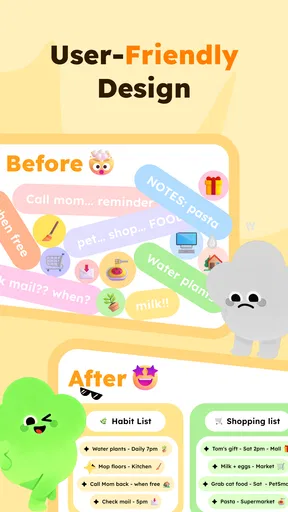
- Visual task organization makes daily responsibilities easier to scan.
- Flexible scheduling helps accommodate changing energy and priorities.
- Useful for breaking large goals into smaller, manageable actions.
- Can support consistency with reminders and structured daily plans.
Limitations of Super Planner: ADHD Routine AI
- AI suggestions may require adjustments to fit your real-life schedule.
- Some advanced planning features may be locked behind a subscription.
- Too many reminders could feel overwhelming for users sensitive to notifications.
- Routine setup may take time before the app becomes genuinely useful.
- Data privacy details should be reviewed before adding personal information.
Similar Picks in This Category
View All
Google Calendar
Google LLC4.6

Google Drive
Google LLC4.3

Google Assistant
Google LLC3.9

Microsoft OneDrive
Microsoft Corporation4.6

Samsung Calendar
Samsung Electronics Co., Ltd.4.1

Microsoft OneNote: Save Notes
Microsoft Corporation4.6
Frequently Asked Questions
What is Super Planner: ADHD Routine AI, and who is it designed for?
Super Planner: ADHD Routine AI is a planning and routine-building app designed to help users organize daily tasks, appointments, habits, and priorities. Its features are particularly useful for people with ADHD who may struggle with time management, task initiation, or maintaining consistent routines. However, students, professionals, parents, and anyone seeking a more structured day may also find its planning tools helpful.
How does the AI help me create routines and manage tasks?
The app uses AI-assisted planning to help turn goals, responsibilities, and daily activities into a more practical routine. Instead of starting with a blank schedule, you can provide information about what you need to accomplish and receive suggestions for organizing tasks. You should still review and adjust the generated plan, since the recommendations may not perfectly reflect your energy levels, deadlines, personal preferences, or unexpected changes.
Is Super Planner: ADHD Routine AI free to download and use?
The application may be available to download at no initial cost, but some features can require a subscription, in-app purchase, or premium plan. Access to advanced AI functions, expanded planning tools, additional customization, or unlimited usage may depend on the version offered in your region. Before confirming a purchase, check the current pricing, trial terms, renewal conditions, and cancellation instructions in the Google Play Store or Apple App Store.
Can Super Planner: ADHD Routine AI replace professional ADHD treatment or medical advice?
No. Super Planner: ADHD Routine AI is a productivity and organization tool, not a medical treatment or diagnostic service. It may support routines, reminders, and planning, but it cannot replace advice from a qualified doctor, therapist, or ADHD specialist. If symptoms are affecting school, work, relationships, sleep, or safety, consider seeking professional support. Use the app as a practical aid alongside an appropriate care plan.
What should I consider before entering personal information into the app?
Planning applications may handle information such as tasks, appointments, routines, goals, and personal preferences, so it is important to review the app’s privacy policy before using it extensively. Check what data is collected, whether information is stored in the cloud, how AI features process your entries, and whether data is shared with service providers. Avoid entering highly sensitive information unless you are comfortable with the stated privacy practices.
